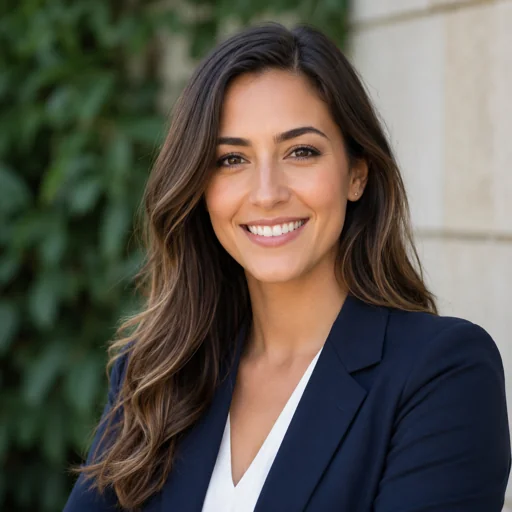
Best for
- • LinkedIn profile photos
- • Networking profiles
- • Job search updates
What changes
- • Professional lighting and a cleaner profile-photo crop.
- • Role-appropriate clothing direction and overall tone.
- • A background style that matches the selected template.
- • A realistic work-profile look rather than a novelty avatar.
Use it on
LinkedIn, resumes, company bios, speaker pages, client proposals, portfolio pages, and other work-profile contexts.
How to get the best result
This template changes presentation, not identity. Use a source photo that clearly shows the same real person you want to represent.
- ✓ Use a clear, recent photo where your face is easy to see.
- ✓ Avoid sunglasses, heavy filters, group photos, and very dark rooms.
- ✓ A tight, front-facing selfie usually works well for this close-up style.
- ✓ Simple clothing and a clean source photo help the studio background look more natural.
Identity and safety boundaries
WorkShot is designed to preserve the same person while improving lighting, background, clothing direction, framing, and professional polish.
Do not use AI-generated headshots for passports, government IDs, official identity verification, or any situation that legally requires a real photograph.
Before and after
See the same fictional person before and after Close-up Professional Headshot.
This pair is generated specifically for this template to show the intended change in presentation while keeping the same identity.

Before
Ordinary lived-in smartphone source photo before the Close-up Professional transformation.

After
Same fictional person transformed into a polished close-up professional profile headshot.
Ready to try this template?
Open Create with Close-up Professional Headshot selected.
Upload a clear source photo, confirm consent, and generate a headshot using the daily free quota.
Sample gallery for this style
Preview how Close-up Professional Headshot is represented.
Available images are fictional AI-generated sample assets. They do not use real customer photos.
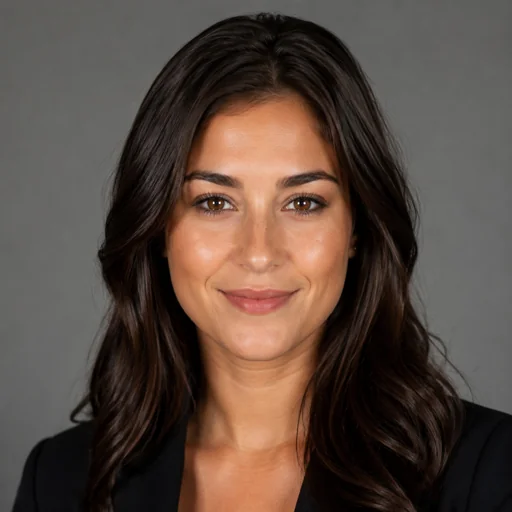
Close-up professional sample focused on face clarity and profile recognition.
Fictional AI-generated sample asset.
Create this look
Alternate close-up professional sample with restrained styling, realistic skin texture, and strong profile clarity.
Fictional AI-generated sample asset.
Create this look Wider featured close-up professional portrait for LinkedIn, company bios, profile pages, template detail, listings, and campaign use.
Fictional AI-generated sample asset.
Create this lookRelated styles